Translate

GET YOUR SITE ON LISTING

competitive research tools
Showing posts with label digital marketing is. Show all posts

Thursday, October 15, 2020

PAID PINTEREST MARKETING


Pinterest ads offer marketers the chance to earn awareness and consideration from Pinterest’s 250 million users early in their consumer journeys. And connecting early works: 98 percent of Pinners say they’ve tried new things they found on Pinterest, versus 71 percent on other social media platforms.

Beyond driving awareness, brands using Pinterest ads’ targeting capabilities see results. More than half of Pinterest’s users have made a purchase after seeing business content on the site.

And Pinners spend 29 percent more than non-Pinners, delivering an average of $2 in profit for every advertiser dollar.

With that in mind, it’s time to get pin-spired about advertising on Pinterest.

Just one catch: For the time being, Pinterest ads are only available in Australia, Canada, France, Ireland, New Zealand, the United Kingdom and the United States.

Types of Pinterest Ads

Your Pinterest ad campaign type will determine what ad format you use, as well as your bid type and available placements. So it’s good to know the attributes of each format before starting a campaign.


Promoted Pins

Promoted Pins appear in the home feed and search results just like a regular Pin except that they’re boosted and targeted to deliver way more reach. Other than the “Promoted” label on the Pin, they look and behave the way other Pins do. Users can Pin them to boards, share them, and comment on them.
Perhaps the best feature of Promoted Pins is that after a Pinner shares it, the “Promoted” label goes away and subsequent repins are considered earned media. In other words, you get added exposure for free. When a user taps or clicks your ad, they’re taken directly to your landing page.

Promoted Pin Specs:

  • Campaign objective: Brand awareness

  • File type: .PNG or .JPEG

  • Ideal aspect ratio: 2:3

  • File size: Max 10 MB

  • Description copy: Max 500 characters


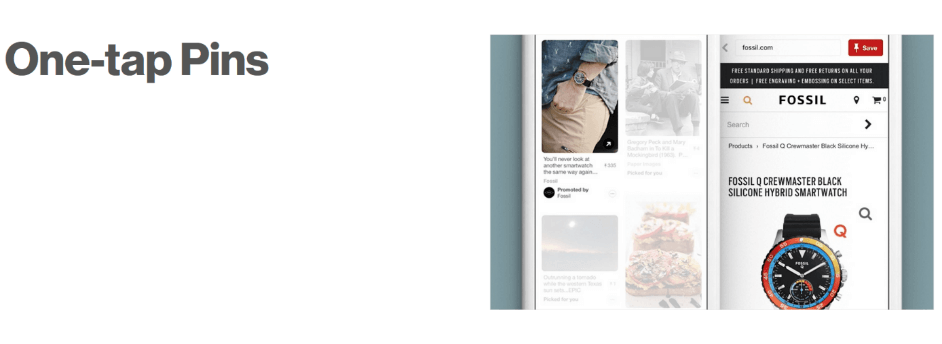
One-tap Pins

Pinterest tells us that, as of 2019, all Pinterest ad formats have officially been migrated to the one-tap system. That means that when a user taps or clicks your ad, they’re taken directly to your landing page.

“Two-tap” ads (where the first click resulted in a zoom-in) no longer exist. And since all ads are technically “one-tap,” it doesn’t make sense to use that term anymore either. “One-tap Pins” are no longer a category of Pinterest ad.

Promoted Carousels

Promoted Carousels were introduced in November 2018. They feature two to five images that Pinners can swipe through.

These multi-image ads can appear wherever Pins can, and they behave the same, except for the dots beneath that signal the swipe option.

Each card in a Promoted Carousel ad can feature a different image, title, description, and landing page. This format is great if you have multiple products or multiple features to showcase because different images and selling points can speak to different Pinners.

CoverGirl used a Promoted Carousel to show every shade of its TruBlend Foundation, resulting in a 3.8 point lift in brand awareness.

REI’s Experience the Outdoors campaign earned strong engagement and a 32 percent higher click-through rate using a Promoted Carousel.

Promoted Carousel Specs:

  • File type: .PNG or .JPEG

  • Ideal aspect ratio: 1:1 or 2:3

  • File size: Max 10 MB

  • Title copy: Max 100 characters

  • Description copy: Max 500 characters


Promoted Video Pins

Promoted Video Pins are just like Promoted Pins except the static image is replaced with video. Like Promoted Pins, Promoted Video appears in the home feed, search results, and the “more like this” section under a Pin close-up.

Pinterest videos autoplay as soon as they’re 50 percent in view. For greater accessibility, and because many viewers watch video with sound off, it’s important to produce video that’s not dependent on audio.

Pinterest offers two sizes for Promoted Video Pins: Max width and standard.

Standard width videos are the same size as regular Pins, whereas max width video spreads across the feed, minimizing distraction from competing Pins. Maximum video exposure can be more expensive, since minimum bids start higher.

Videos are ideal for awareness campaigns, and a good format for telling a brand or product story.

A Pinterest study conducted with Millward Brown found the Promoted videos are four times more memorable than non-video ads. And 67 percent of Pinners said that video inspires them to take action.

Promoted Video Specs:

  • Campaign objective: Video views
  • File type: .MPR or .MOV
  • Encoding: H264
  • Ideal aspect ratio: 1:1, 2:3, 9:16 or 16:9.
  • File size: Max 2GB
  • Video length: Minimum 4 sec, maximum 30 min
  • Description copy: Max 500 characters


Promoted App Pins

Promoted App Pins let Pinners download your mobile app directly from Pinterest. These mobile-only ads are a good fit for Pinterest’s audience, since 80 percent of Pinterest traffic comes from mobile devices.

Promoted App Pins look and act just like a Promoted Pin or Promoted Video Pin, only they link to a valid iTunes or Google Play app store URL. An install button accompanies these Pins, but you should also make sure your copy and image or video conveys attributes about your app.

Pinners have a penchant for shopping, so quick-and-easy app downloads can quickly turn into sales. When Playrix chose Promoted App Pins to promoted its Fishdom and Gardenscapes game apps, one in five installs from Pinterest resulted in paying users. Overall Playrix doubled their ROI.

Buyable Pins

Buyable Pins are designed to be shoppable. Also known as Shop the Look, these Pins allow Pinners to find and buy products directly from your Pin.

These Pins work across mobile and web, and appear in the same places as a Promoted Pin would. The only difference is items in the image are tagged with white dots that can be tapped or clicked on to display and link to product information.

This format is ideal for images that feature multiple products working together. Imagine a fully decorated living room, Christmas dinner spread, or the latest fall fashion arrivals.

Pinterest recommends that images should be tagged with four to six dots. Ideally each dot should be linked directly to the product’s page. If that’s not possible, Pinterest suggests finding one exact match, and other close matches.

To create Buyable Pins, Pinterest offers a bespoke tagging tool. For larger campaigns it may be better to work with Curalate and Olapic are Pinterest’s preferred partners.

These Pins are designed to deliver sales. After Modern Citizen enabled Buyable Pins, the fashion brand saw its retail orders increase by 73 percent.


Story Pins

A new type of Pin format that is being tested with select business accounts, Story Pins feature up to 20 pages of images, text, and links.

Story Pins appear in users’ home feeds with a cover image and a title. They also say “Story” underneath. Tapping a Story Pin allows you to see all of its pages.

Story Pins can be saved to boards like any other Pin. Watch this space for updates on how they perform for brands.

How to Advertise on Pinterest

Tuesday, October 6, 2020

Definition of Native Advertising


Time To Define Native Advertising

Talk to any agency, brand or publisher about what they’re paying attention to, and within five minutes, you’ll hear one (or all) of these terms: “native advertising,” “sponsored content,” “branded content,” “content marketing,” and “custom content.”

The problem is that those terms mean something different to everyone. The media tends to use the terms interchangeably. (Even the New York Times gets tripped up in defining these tactics.) Here’s an attempt to clarify what’s what. Please add your thoughts in the comments.


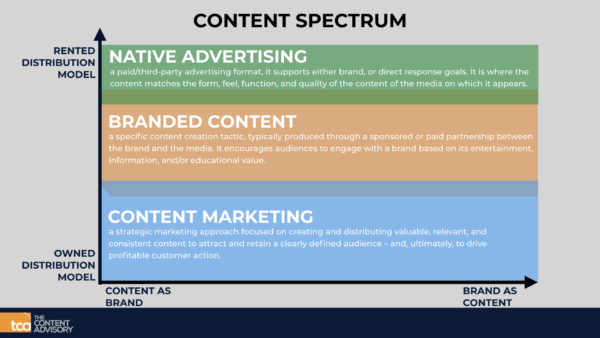
Native Advertising:

When an ad unit can only be bought and displayed on one platform. Think Facebook’s Sponsored Stories; Twitter’s Promoted Tweets; Tumblr’s Radar. These ad units are unique to those environments.


Sponsored Content:

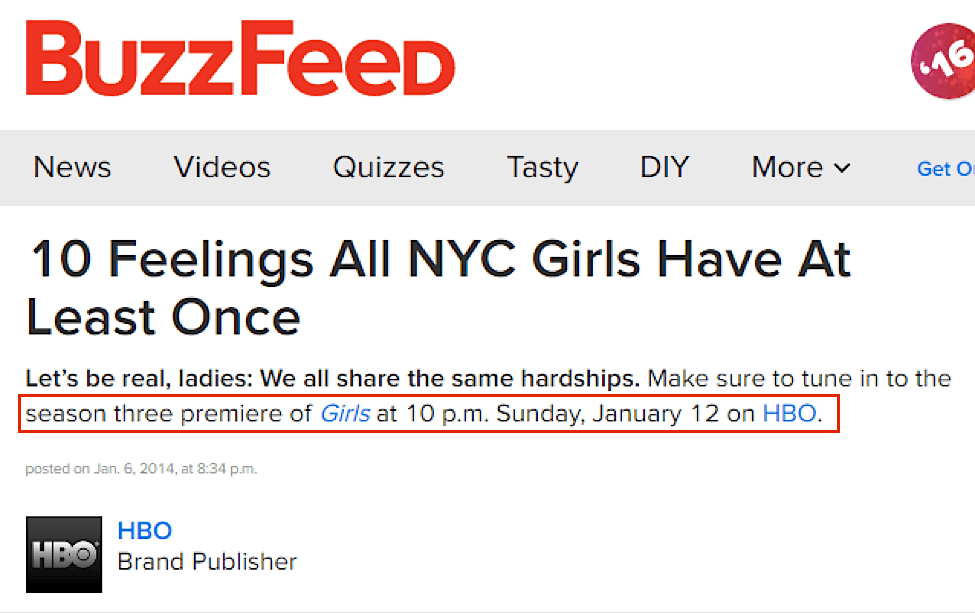
When a brand pays a publisher to have its name and/or message associated with a particular story. This typically takes the form of a brief intro paragraph informing readers that the following article is sponsored by an advertiser. You’ll see phrases like “brought to you by,” “presented by,” or “sponsored by.” This is not content produced by the brand. The marketer is given a broad topic area that it can choose to associate its brand with. The marketer does not get a say in what will be produced, at least not in the type of sponsored content programs run by sites like Mashable, Business Insider and Digiday.

Brand Content

We have heard ad nauseam that brands are publishers now. What they produce, on their own and running through their own distribution channels, is brand content. Think of Coca-Cola’s YouTube channel. The video below is content created by the soft drink brand that blurs the lines between advertising and entertainment.


Content Marketing:

This is the catchall phrase that encompasses all of the above. On a most basic level, it means “not banner ads.” It conveys the strategic shift occurring at many brands that are thinking of ways to sell their wares and services beyond the hard sell. These efforts involve creating content and experiences people want to consume, while at the same time conveying a brand message. For a brand like Coca Cola, that means hair-raising stunts and action-sports content; for American Express, it is producing tools and content useful and needed by small-business owners.

Wish you liked the content You can subscribe use for more useful contents about digital marketing. You can also get the latest guide of Digital marketing get the copy as fast as you can. get it now

Monday, October 5, 2020

How to Browse and Search your Liked Tweets

Have you ever tried to find a tweet you liked some time ago? Me too, and it’s almost impossible. Scrolling down in the ‘Likes’ tab of my profile while doing CMD-F is a pain and it doesn’t even work sometimes.

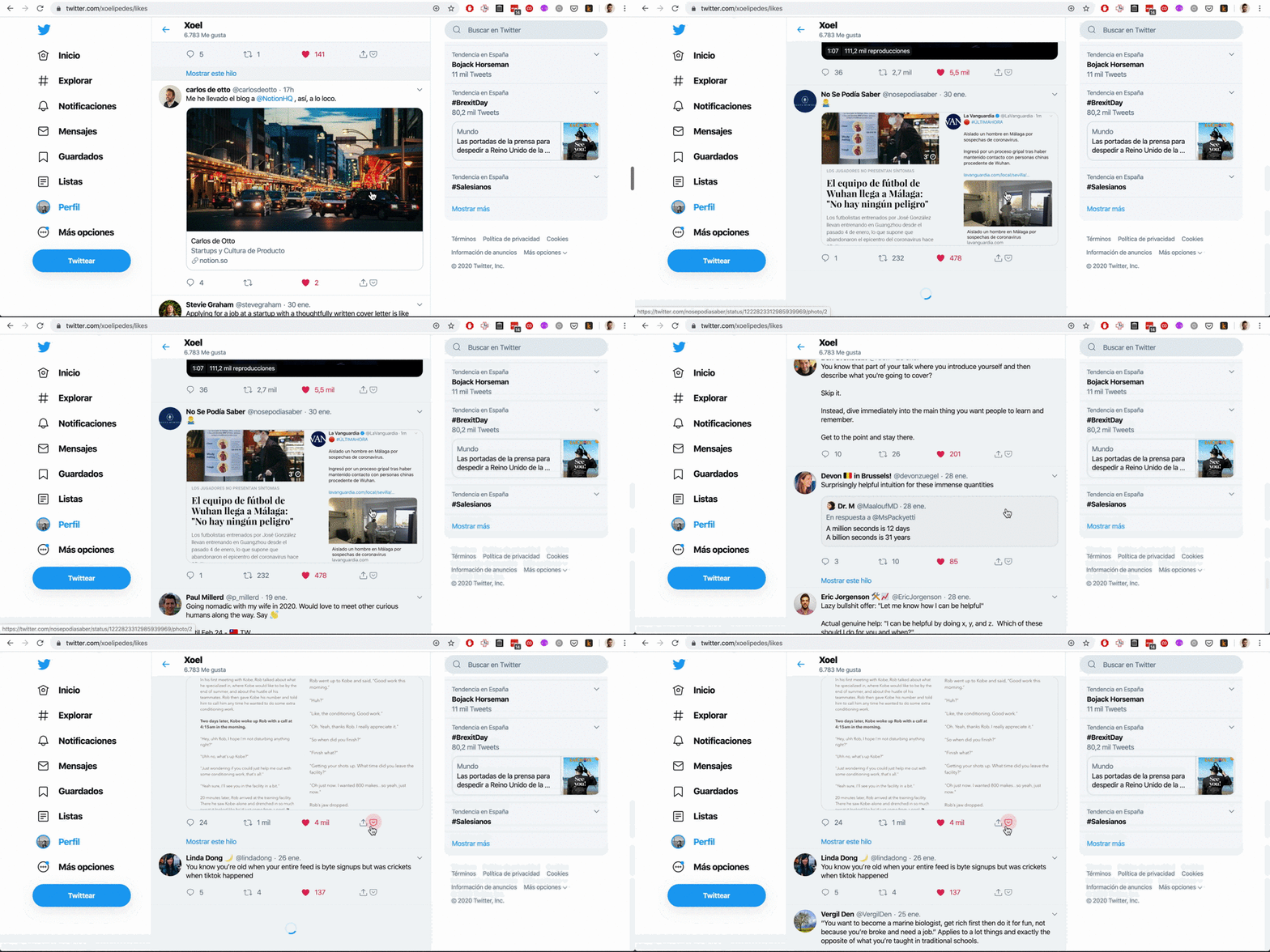
I came up with a way of saving all my past and future Twitter likes. It lets me browse, filter them and search for tweets by text or user. And it’s free.

I thought it could be helpful for others, so here it goes

Saving all your past Twitter likes

If you’re only interested in keeping an archive of your future Twitter likes, you can skip this part and jump to the last section.

Step 1: Downloading your Twitter archive

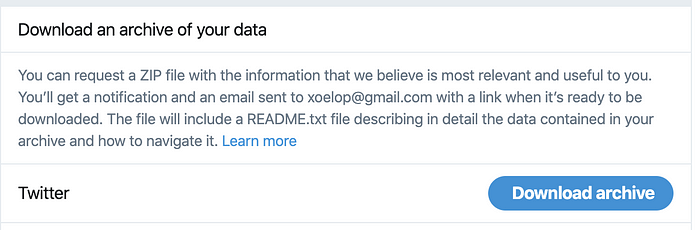
Go to https://twitter.com/settings/your_twitter_data, enter your password and then click on ‘Download Archive’. It will take some minutes and you’ll get then an email when they’re ready.

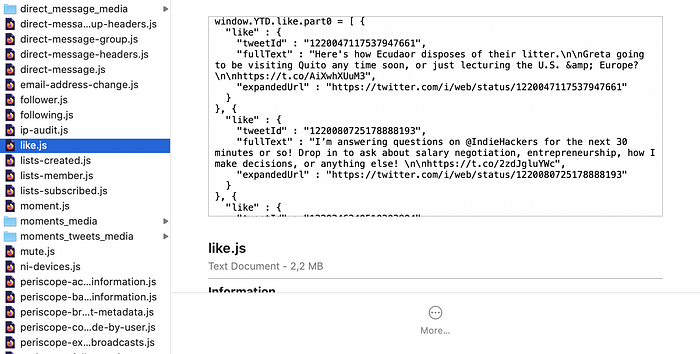
Download them and you’ll get a .zip with a bunch of .js files. The only one you’ll need is like.js


Step 2: parsing that file and getting the full info for each tweet

To do so, I made a small python project. You can clone it from https://github.com/xoelop/get-twitter-likes.

Then, go to where you’ve cloned the repo in your computer and copy your like.js file into the data folder.

The main script in the project is get_likes_to_csv.py . Running it parses like.js, connects to the Twitter API to download the full info for each tweet and then saves it to a CSV file.

To be able to use it, you’ll need to

  1. Register a new Twitter app here to get the access tokens necessary to interact with the Twitter API
  2. Create a file called .env in the root folder, whereget_likes_to_csv.py is, and fill it with your Twitter credentials
  3. Install pipenv if you don’t have it, doing pip install pipenv
  4. And finally, run pipenv run python get_likes_to_csv.py


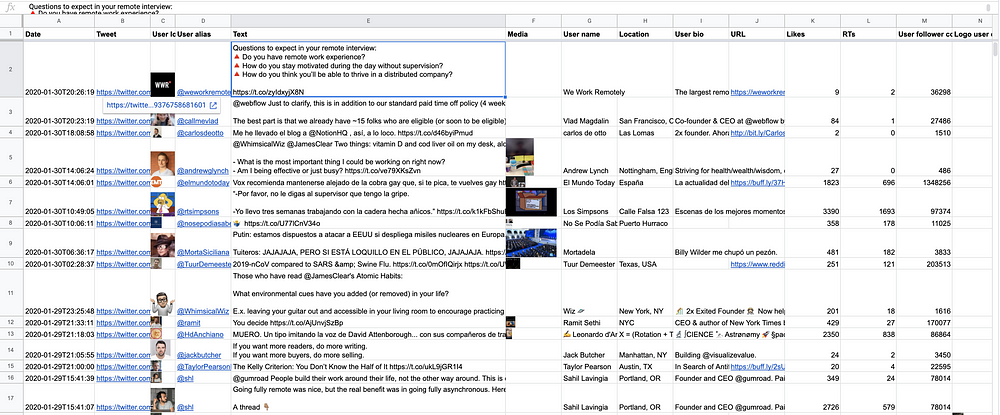
I had about 6k liked tweets and it took about 1 minute. Then, you’ll have a CSV file with all the details for all your liked tweets in data

Finally: having all your liked tweets saved in the cloud

You could use Airtable (ref link) or any other service you want. I loove Airtable, it lets you create multiple views for the same table, filter, group values in a much nicer way than Google Sheets.

But the row limit per base in the free plan is only 1200, while it’s 5 millions in Google Sheets. So I used Google Sheets, it’s good enough for now.

To do it, go to sheets.new to create a new spreadsheet on Google Sheets. Then, click on File > Import > Upload and drag there the CSV you’ve just created


Saving all your new Twitter likes

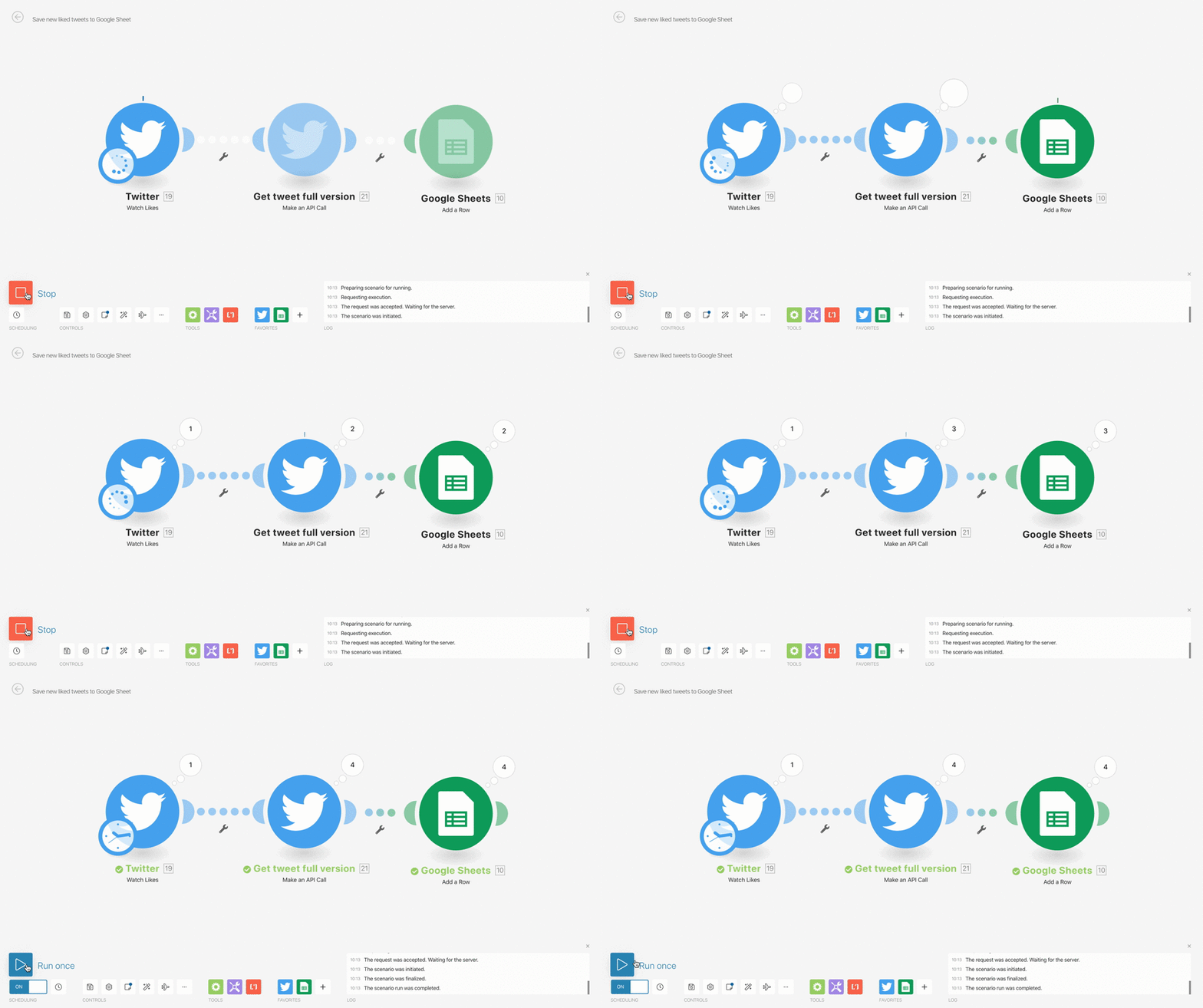
To do this, I created an Integromat scenario that fetches my most recent likes and adds them to this spreadsheet.


For those that don’t know it, Integromat is a product that lets you connect hundreds of apps together without coding. It’s like Zapier on steroids. Their free tier includes 1000 free operations per month, which is a lot and probably enough to run this. Read more

Sunday, October 4, 2020

Link Building


 What is Link Building?

Link building, simply put, is the process of getting other websites to link back to your website. All marketers and business owners should be interested in building links to drive referral traffic and increase their site's authority.

{Image}

Why build links?

Google's algorithms are complex and always evolving, but backlinks remain an important factor in how every search engine determines which sites rank for which keywords. Building links is one of the many tactics used in search engine optimization (SEO) because links are a signal to Google that your site is a quality resource worthy of citation. Therefore, sites with more backlinks tend to earn higher rankings.

There's a right way and a wrong way, however, to build links to your site. If you care about the long-term viability of your site and business, you should only engage in natural linkbuilding, meaning, the process of earning links rather than buying them or otherwise achieving them through manipulative tactics (sometimes known as black-hat SEO, a practice that can get your site essentially banned from the search results).

That said, natural, organic link building is a difficult, time-consuming process. Not all links are created equal: A link from an authoratative website like the Wall Street Journal will have a greater impact on your rankings on the SERP than a link from a small or newly built website, but high-quality links are harder to come by.

This guide will teach you how to build quality links that improve your organic rankings without violating Google guidelines.

Remember, link building is imperative in achieving high organic search rankings.

Get leads. Get sales. Get growing.    


Why Link Building Is Important for SEO

Link building is important because it is a major factor in how Google ranks web pages. Google notes that:

"In general, webmasters can improve the rank of their sites by increasing the number of high-quality sites that link to their pages."

Imagine that we own a site promoting wind turbine equipment that we sell. We're competing with another wind turbine equipment manufacturer. One of the ranking factors Google will look at in determining how to rank our respective pages is link popularity.

WordPress Themes with a bang

Get more leads from you website with Visual Visitor


While the above example provides a general visual understanding of why link building is important, it's very basic. It omits key factors such as:

  •  The trust and authority of the linking pages.
  • The SEO and content optimization of the respective sites.
  • The anchor text of the incoming links.

For a more in-depth explanation of how PageRank is calculated, read through these resources:

  •  The original Google PageRank paper
  • An in-depth discussion of the formula behind PageRank
  • The Wikipedia page on the subject

The most important concept to understand is that, as Google says, you're more likely to have your content rank higher for keywords you're targeting if you can get external websites to link to your pages.


Simple Link Building Strategies: How To Get Other Sites to Link to You

There are a number of link building strategies used to get external websites to link to yours:

  • Content Creation & Promotion - Create compelling, unique, high-quality content that people will naturally want to reference and link to, and tell people about it. You have to spread the word before you can expect anyone to find your content and link to it!
  • Reviews & Mentions - Put your product, service, or site in front of influencers in your industry, such as popular bloggers or people with a large social media following.
  • Links from Friends & Partners - Ask people you know and people you work with to link to your site. Remember that relevance matters; links from sites that are in the same general industry or niche as your site will have more value than links from random, unrelated sites.

It can take a while to build a lot of links, but be patient, and remember that shortcuts like buying links are against Google's guidelines and can be devastating for your SEO. Don't take chances.


Build Links for Free with Internal Link Building

There's an easy, underrated way to build links to the pages you're attempting to improve search engine rankings for. And it's a method you have total control over: Internal link building.

In attempting to get a Web page to rank, there are a few key factors to consider:

  • Anchor Text - One of the most important things search engines take into account in ranking a the page is the actual text a linking page uses to talk about your content. So if someone links to our Good Guys Wind Turbine Parts site with the text "wind turbine parts", that will help us to rank highly for that keyword phrase, whereas if they had simply used text like "Good Guys LLC" to link to our site, we wouldn't enjoy the same ranking advantage for the phrase "wind turbine parts".
  • Quality of the Linking Page - Another factor taken into account is the quality of the page that is sending the link; search engines allow links from high-quality, trusted pages to count more in boosting rankings than questionable pages and sites.
  • Page the Link is Aimed At - Many times, when people talk about your site they'll link to the home page. This makes it difficult for individual pages to achieve high rankings (because it's so difficult for them to generate their own link equity).

These are all elements we can't control in attempting to get other sites to link to us. We can, however, control all of these elements in linking to our own pages from our own content. We can:

Determine what anchor text to use.

Decide which page to point that anchor text at.

Ensure that the quality and content of the linking page is high (since it's our page!).

Building external links to your site is important, but in focusing more of your efforts on the optimization of these internal links, you can build quality in-bound links with rich anchor text to the proper pages, which will provide you with an unparalleled ranking boost (for free!).

Bounce Rate in Digital Marketing


What is bounce in the internet?

Bounce rate is a measure of "stickiness." The thinking being that an effective website will engage visitors deeper into the website. Encouraging visitors to continue with their visit. It is expressed as a percentage and represents the proportion of single page visits to total visits.

Bounce rate (%) = Visits that access only a single page (#) ÷ Total visits (#) to the website.

Purpose of Bounce Rate

Bounce rates can be used to help determine the effectiveness or performance of an entry page at generating the interest of visitors. An entry page with a low bounce rate means that the page effectively causes visitors to view more pages and continue deeper into the web site.

Terms of Bounce

The term "bounce" has several different IT related meanings, yet none of them include bouncy balls. The most common definition of bounce used in the computer world refers to e-mail messages. There are many Terms in Bounce But I am gonna explain you 4 Terms which is effective in this marketing strategies. They are:

  • Returning E-mail
  • Restarting a Computer
  • Exporting Audio
  • Hiding a Network Connection

Returning E-mail

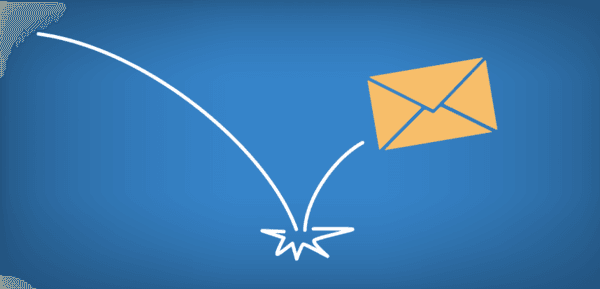
When you send an e-mail message to another person, the mail server processes the message and delivers it to the appropriate user's mailbox. For example, if you send a message to "mrman@mail.com," the mail.com server looks for a user named "mrman" to deliver the message to. If the user does not exist, the mail server may bounce the message back to the sender, saying "Sorry, that user does not exist." These messages often come from "Mail Delivery Subsystem" and have a subject line that reads "Returned mail: see transcript for details."

If you receive a bounced message, you may want to check the e-mail address you sent the message to and make sure it was typed correctly. If the address is correct, it may help to read the body of the bounced message for more details. The transcript may say something like "User quota over limit," which means the recipient has reached his or her e-mail quota and must delete some messages and/or attachments in order to receive new mail. If this is the case, you may want to call the person or use an alternative e-mail address to let the person know he or she has some Inbox maintenance to do.


Restarting a Computer

The term "bounce" can also describe the process of rebooting or restarting a computer. For example, a workstation may need to be bounced after installing new software. Similarly, a Web server may be bounced if websites hosted on the server are not responding correctly.


Exporting Audio

"Bounce" can also describe the process of exporting several tracks in an audio mix to one mono track or two stereo tracks. This helps consolidate audio tracks after they have been mixed. Bouncing audio tracks limits the need for processing power since the computer only has to process one track instead of all the tracks individually. Digital Performer is the primary audio software program that uses bouncing to export audio.

Hiding a Network Connection

Finally, "bouncing" can also be used in networking to describe a method of hiding the source of a user's network connection. This type of bouncing is often abbreviated "BNC." Someone who bounces his network connection is called a "bouncer," though this is not the same person who checks your ID at the bar.

Saturday, October 3, 2020

What Are Google My Business Categories?

What Are Google My Business Categories?

When you set up a new business in Google My Business, Google My Business makes you set a category for your business. As one of the leading Shopify SEO and eCommerce SEO Services, the PixelCutLabs team does this all the time, especially as a part of our manual On Page SEO Services. When you set your category, it helps your business show up for relevant searches in Google My Business and Google Maps, which can give your business a big boost if you primarily target local customers.

A few numbers to keep in mind:

There are over 3000 Google My Business categories as of 2020 (3942 to be exact)

Google allows you to select up to 10 categories for your business

You can only select 1 primary category, which is given the most importance in Google’s algorithm

Choosing The Best Google My Business Category

When you select a category, you’ll have the best results if you follow these three rules of thumb:

Be as specific as possible when choosing your Google My Business category – The more specific you are, the fewer businesses you’ll be competing against for customers.

Add the least number of Google My Business categories possible to describe your core business – The more categories you have, the weaker each individual category gets in a potential customer’s search for businesses that do what you do. Think of it like a 100-watt light bulb vs. a 100-watt laser: a 100-watt light bulb can light up a room. A 100-watt laser can cut through a sheet of solid metal. Be as close to the laser as you can get.

Describe your business… not your services or amenities – If you are adding a new restaurant to Google My Business and that restaurant has a bar, you should not add “Bar” as a category because that does not describe your business, it describes your amenities.


Google My Business Categories

This Google My Business category list is sorted by business type. If you have trouble finding something that describes your business based on the guidelines above, try a less-specific category.

During this list is so big. I am giving you the link of the spreadsheet I got It is the latest update of the category list. You can download it and use this list for your own business.

The Full List


Google My Business


Google My Business

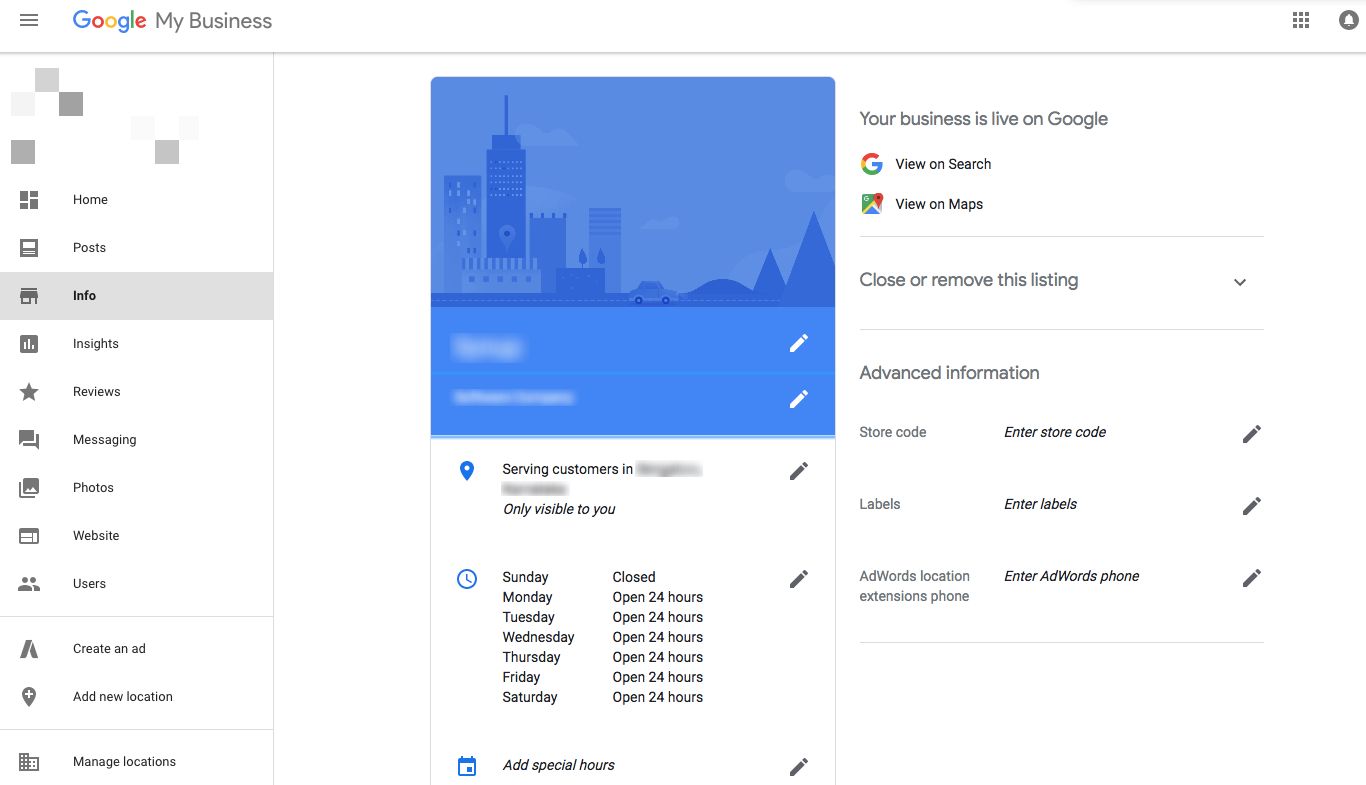
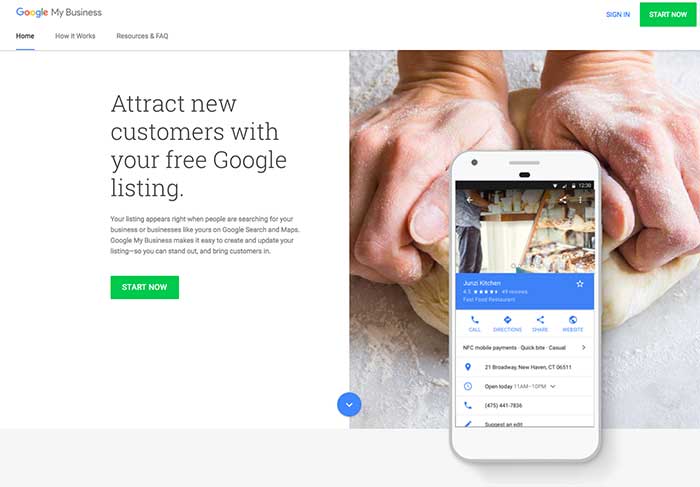
Google My Business is a free and easy-to-use tool for businesses and organizations to manage their online presence across Google, including Search and Maps. To help customers find your business, and to tell them your story, you can verify your business and edit your business information.

Benefits of Google My Business

There are many Benifits of Google My Business. I am gonna show you 10 Proven Benefits of Google My Business & How to Use it For Sales.

Google My Business was created to connect businesses with local consumers with the growing need for a more digitally savvy directory. Helping to boost online marketing and consumer shopping culture.

An interesting survey done by Bright Local found that with Google My Business (GMB), the average business receives 1,009 customer searches each month, with 84% of these coming from discovery searches, and the remaining 16% from direct.
 

1. Google My Business is Free

One of GMB’s best features is that it’s free! Simply click here to sign up and fill out your profile with all the needed information such as contact numbers,a website, pictures, location, etc.

I found this infographic on signing up on Lousie Myers “Visual Social Media” to be helpful, and much more entertaining than than typical written how-to steps.

If you find that your business name has been listed or you made the mistake of giving someone permission to create your listing, and you’d like to reclaim your listing RevLocal has a great step-by-step video tutorial you can follow.


Google My Business Makes You Visible

GMB is a tool that puts your business on a global map, literally.

Google is one of the largest search engines in the world. Google receives over 63,000 searches per second on any given day, not to mention Google “near me” searches have increased by two times over the past year.

I’ll let you in on a little secret…

About 90% of searchers haven’t made up their mind about a brand before starting their search. This simply means that your business has to be visible for online search to capture their attention and stand out from your competition.

Without Google My Business, you’ll be missing the chance to be visible regardless of how heavily you practice SEO techniques on your website. GMB listings get priority on the first page of local Google searches and Maps queries.

For example, when we searched for “Salon in New York.” You’ll notice that a section of GMB listing appears before ranking websites.

Listing on Google Search

Google My Business Ensures Online Consistency

As your business grows or undergoes changes, you want to be able to keep your customers informed and educated simultaneously.

Keep your customers in the loop by updating your listing on Google My Business, such as phone numbers, addresses, websites, and social media. So if you ever change your location or you’re using a new number of customers can effortlessly contact and find you.

One of the seven things that can make customers hate your business is searching for your contact details and jumping through hoops to find you.


Google My Business Images Provides a Great First Impression

Having a GMB page adds a digitally savvy touch to your online branding because it shows customers that you’re willing to stay updated and modern. Catering to their digital needs so they can quickly call/connect, purchase, and repeat.

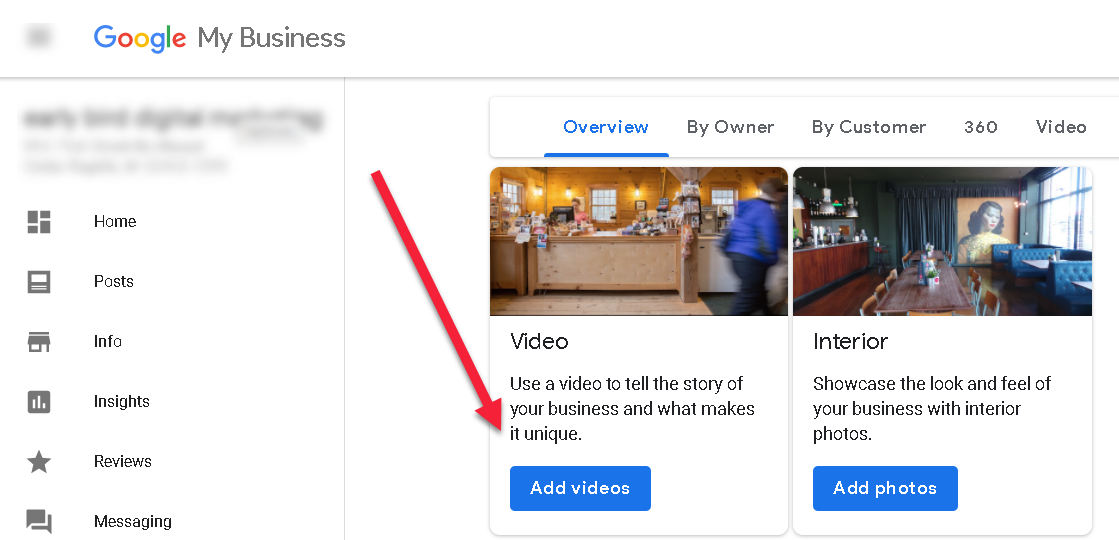
Google My Business allows you also to help captivate customers visually by uploading photos and videos of your store or product. You’ll be able to set expectations of what customers can expect from you.

In fact, Search Engine Land found a strong link between Google My Business photo quantity and search performance.

Here are few content ideas for the images you can upload to your GMB listing:

  • Inside your store or manufacturer
  • Your employees or teammates
  • Your local surroundings
  • Your CEO or Managing Director
  • Awards and Events
  • Happy customers or customer testimonials

Try to upload at least 5-10 photos and videos, the more images, the better. No pictures on your Google listing is just as displayed as not having a profile image on social media. Help customers to warm up to your Google My Business listing. Adding a picture puts a face or a meaning to your brand.


Google My Business Improves SEO

Your Google My Business can be one of your most powerful SEO tools. But it’s not enough to add a few contact details. You’ll have to optimize your Google My Business to see the best results.

Here’s a graph showing the list of essential items you should optimize for your Google My Business to work in favor of ranking and SEO.


Google My Business Easily Host Customer Reviews

Google My Business allows customers to leave ratings, reviews, and images on your listing. Think of it as a more modern and personalized version of Yelp.

This is great because happy customers can share their experience with interested and new customers. But it’s also a platform that upset and disgruntled customers can leave bad reviews and images of their experience.

How do you maintain a balance to keep your Google My Business reviews in green?

You monitor and respond to your Google My Business reviews.

No good thing comes without a bit of elbow grease. Each week set aside time (or as an employee to review) and respond to reviews on your GMB listing.

With an online profile, you can only go so far to convince your customers that you’re the right choice for them, people can only trust you from face value and what real customers have to say about you. People are more willing to trust customers over your brand.

Here are three reasons why monitoring and responding to reviews (whether good or bad) helps your business off and online. 

  • 86% of people will hesitate to purchase from a business that has negative online reviews. Don’t ignore negative reviews, because they can affect your sales.
  • 72% of customers don’t take action until they have read reviews. Customers are searching for reviews before they visit your store or shop with you. What kind of reviews do you want to be waiting for them? Once you know the answer, start working towards it.
  • Businesses who reply to reviews at least 25% of the time have an average of 35% more revenue. Customers are looking for brands to reply to customers (regardless if it’s a good or bad review). When you leave reviews, especially negative reviews unattended, buyers are more hesitant to buy from you because they begin to wonder if their concerns will be ignored (on or offline).

Don’t wait for customers to go to your Google My Business Account. Instead, share a short URL with customers on your online and social media platform to drive reviews your way.


Google My Business Helps Gain Customer Insight

Get customer insight from your GMB listing and use it to improve your business.

Google’s GMB insight focuses on how customers find your listing on Search and Maps, and what they do after they find it. This data includes information like:

  • How many views your listing had.
  • How and where customers find your listings.
  • Actions customers take on your listings.
  • And other interactions customers have with your GMB listing.


Google My Business Completes Your Google Profile

Google has created the holy grail of digital marketing for business. Having a Google My Business Account helps you to complete your Google Profile.

Having your GMB account is connected to Google Maps, Google Adwords, Google Analytics, Tag Manager, and more.

Having access to these high powered tools allows you not only to rank and optimize your brand but helps to keep your business up to date with digital trends.

Google My Business Offer an Official Website For Your Business

We spoke about SEO and customer reviews, but did you know that Google My Business also has a website creation feature?

Best of all your website is free to create!

Once you’ve created your Google My Business account, your website will auto-generates info from your profile, plus you can customize it with text, photos, and design themes.

All you’ll need to do is purchase a domain and connect your Google Analytics account.


Google My Business is the Future of Online Marketing

Google is constantly expanding and growing in data and online features for consumers and business.

They’re already a billion dollar giant that has scratched the surface creating online tools to help small and big businesses to increase sales and brand awareness.

Don’t wait until it’s too late to start tapping into the power of Google, start by creating a Google My Business and take your steps into the new form of online branding.

If you’re a visual learnerI found this video tutorial from The Deep End to be an insightful and funguide.


Powered by Blogger.